Guide

Dog school software: what really matters

Dog school software should take admin off your hands, not create more. This guide describes which features a dog school actually needs, which mistakes are typical when choosing, and how to switch without losing customer data.

  • Six criteria every solution has to measure up to
  • Typical bad buys and how to avoid them
  • Realistic cost range for dog schools in Germany
  • How switching works in four steps

Six criteria for choosing dog school software

Most providers advertise with the same list of buzzwords. You can only tell them apart by these six points – they decide whether the software is still being used after three months.

  1. Customer and dog record in one dataset

    A dog school manages two levels: people and dogs. Software that only knows participant lists will force you into notes in the margin later on. Make sure that breed, age, vaccination status, temperament with other dogs and training history belong to the dog – not to the person.

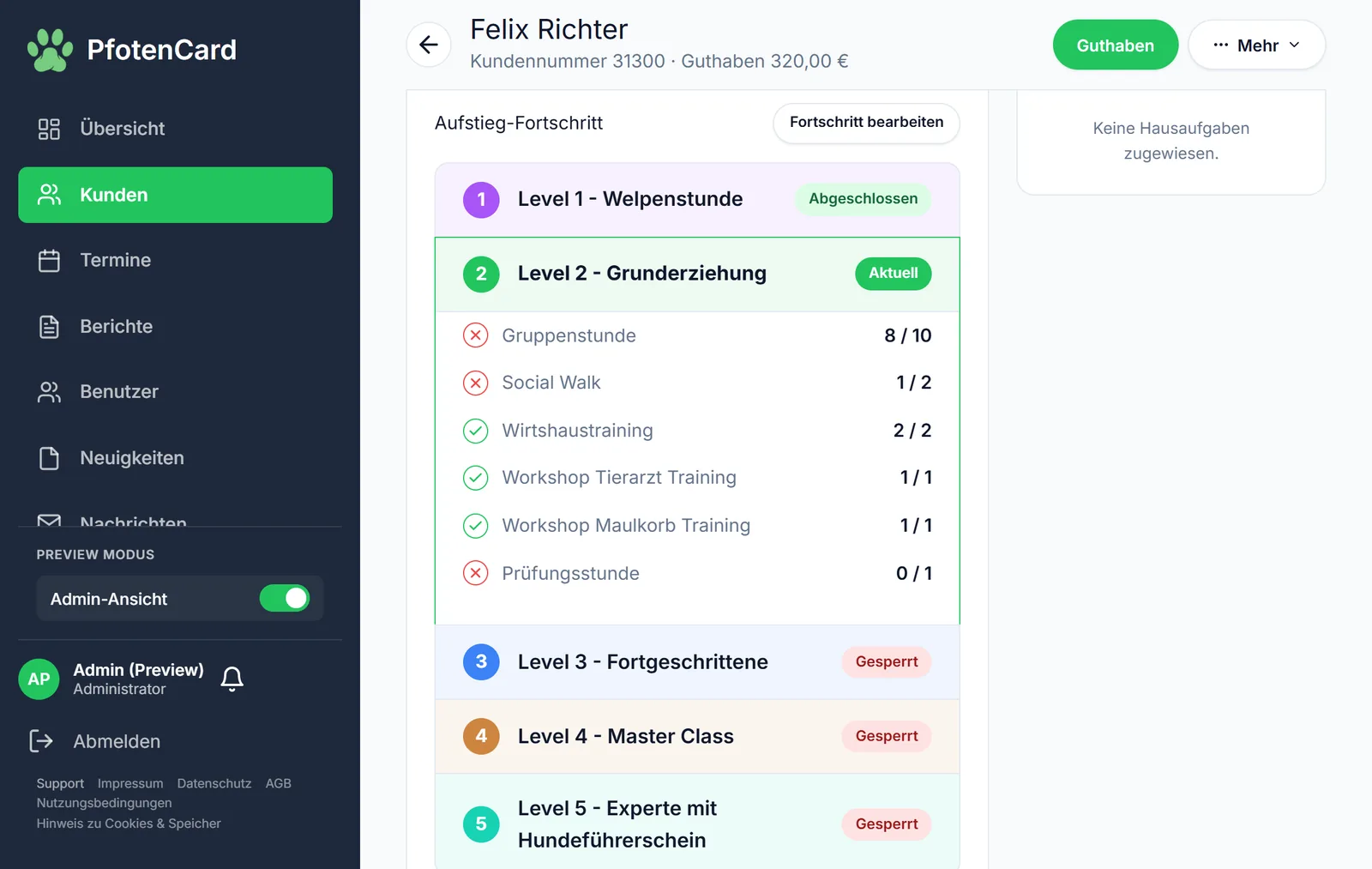
    Customer record in PfotenCard with credit and the dog's training progress
    This is how it looks in PfotenCard
  2. Self-booking without double bookings

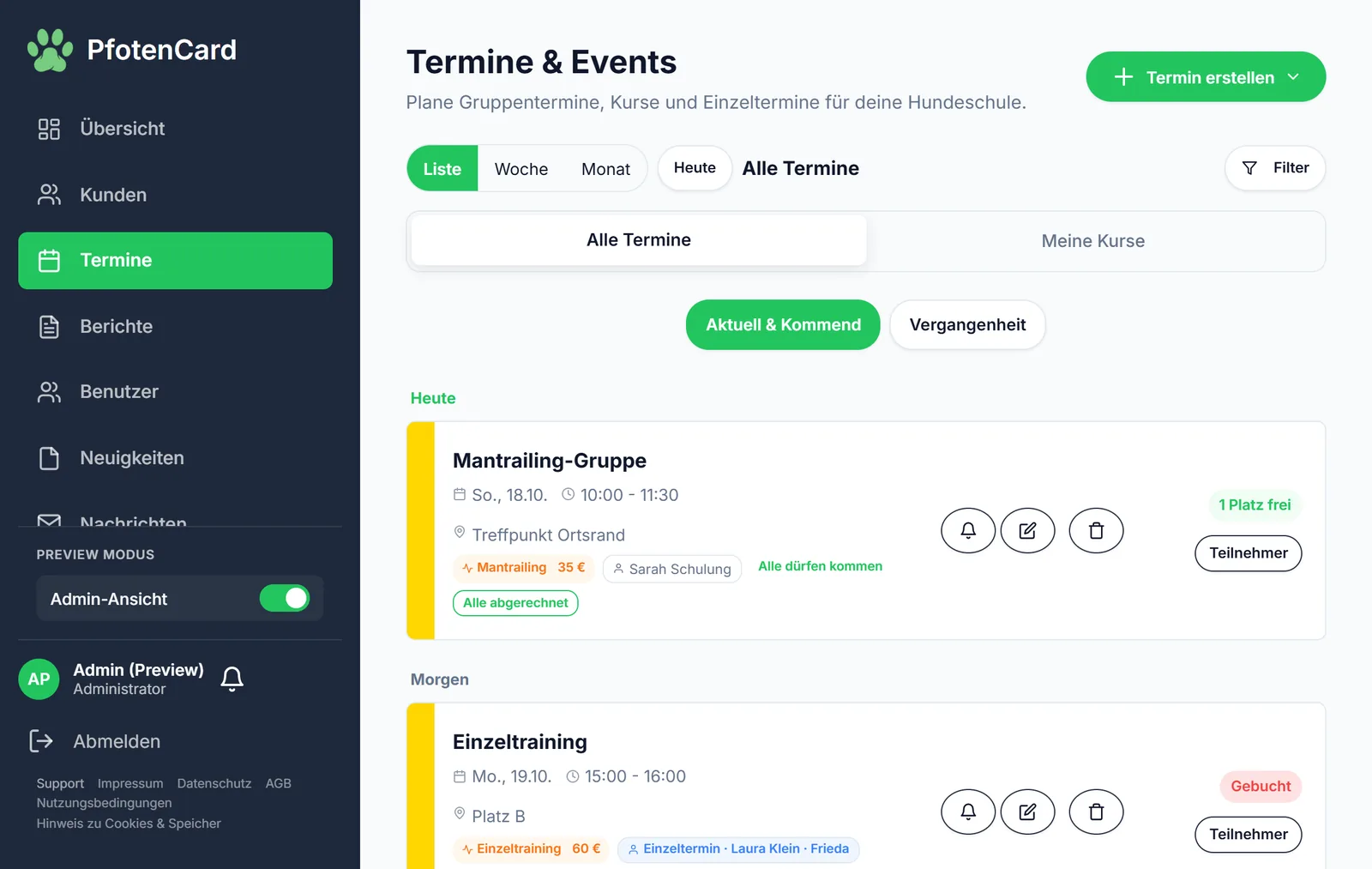
    The biggest time saving comes when customers book and cancel themselves. That only works if the system strictly limits places, enforces cancellation deadlines and automatically moves people up from a waiting list.

    Appointment overview in PfotenCard with free places and participant lists
    This is how it looks in PfotenCard
  3. Billing that fits how you work

    Dog schools rarely bill only per individual session. Check whether prepaid credit, subscription models and individual invoices can run in parallel – and whether bonus credit from promotions is kept cleanly separate from real income, otherwise your accounts won't add up.

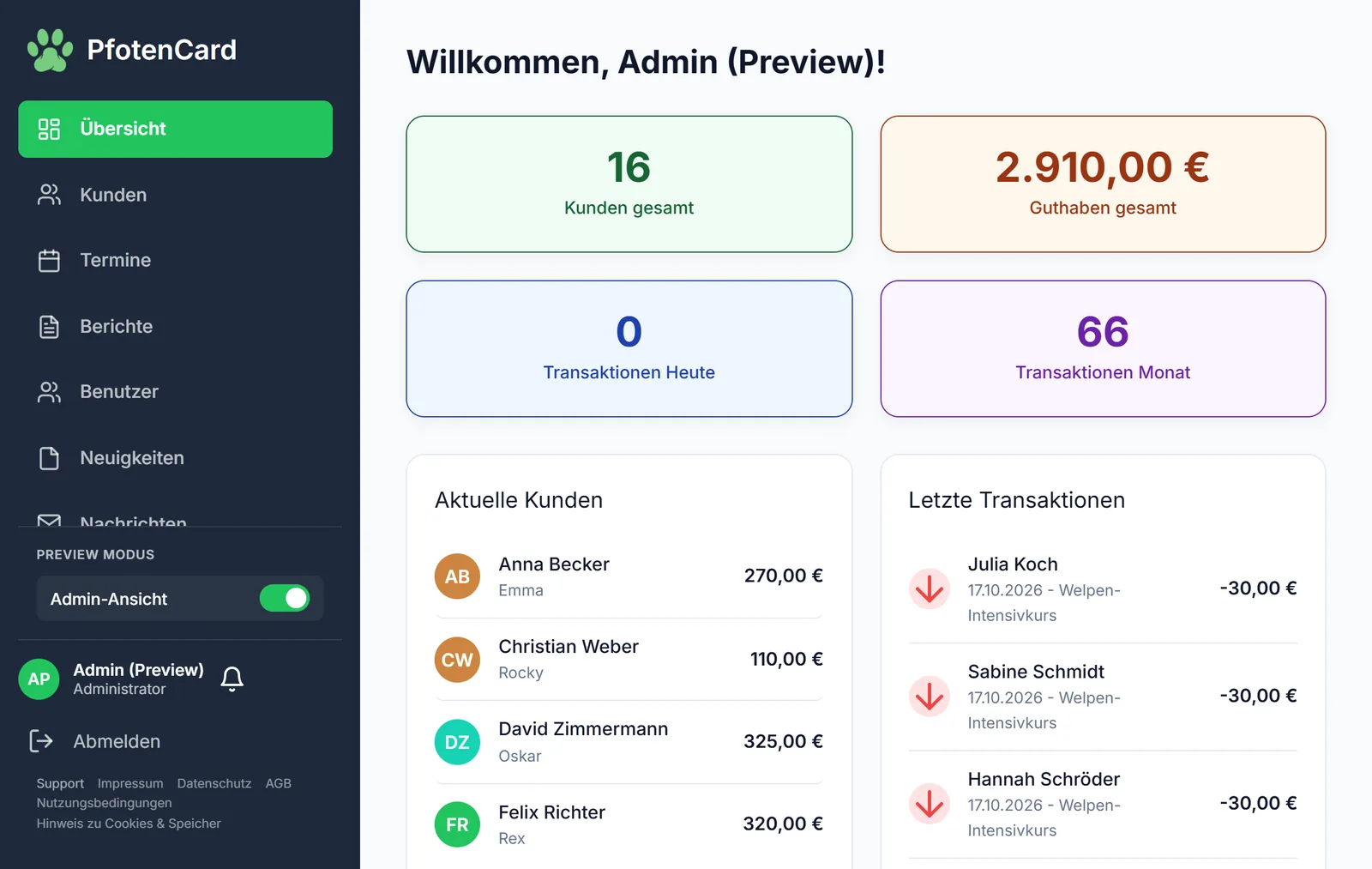
    Overview in PfotenCard with total credit and recent transactions
    This is how it looks in PfotenCard
  4. Communication outside WhatsApp

    WhatsApp groups are handy when training is cancelled, but tricky in terms of data protection. An integrated chat, push notifications and a news feed do the same job without handing phone numbers to others.

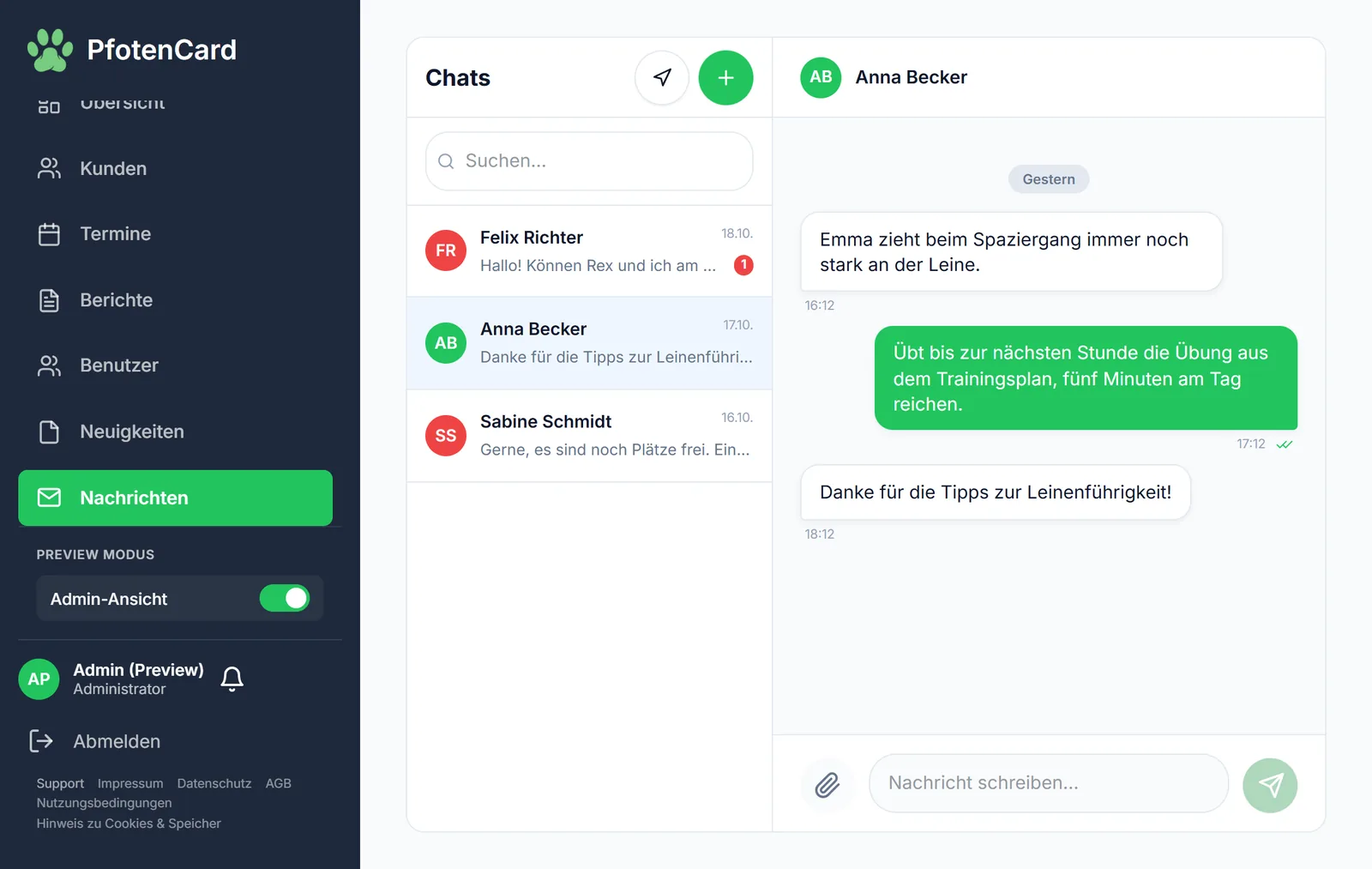
    Integrated chat between dog school and customer in PfotenCard
    This is how it looks in PfotenCard
  5. Presence under your own name

    If the app carries the software provider's name, you give away brand impact. White-label means: your logo, your colours, your subdomain – for your customers, it's your app.

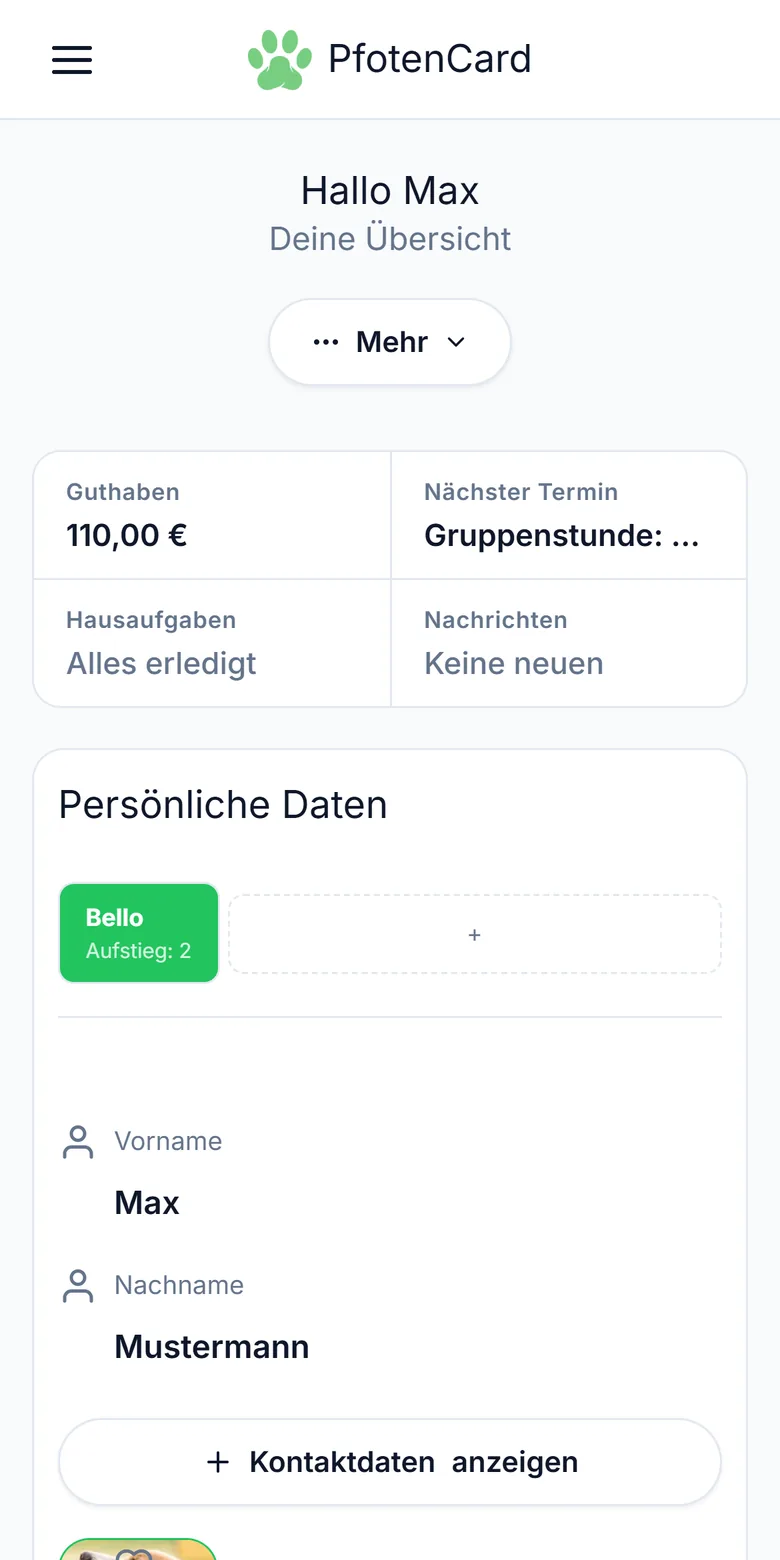
    A dog school's customer app on a smartphone
    This is how it looks in PfotenCard
  6. Growth built in

    Software shouldn't just manage what's already there. Check whether it helps you win new customers – for example through a referral programme, a legally compliant newsletter or bookable initial consultations on your website – and whether you can also offer your knowledge as an online course.

  7. Leaving without being held hostage

    Before signing, clarify in which format you get your data back. A complete CSV and PDF export should be a given, as should the option to cancel monthly.

Six mistakes dog schools make when choosing software

In our experience, each of these points costs either money or the willingness to use the system at all.

  • Bought too big

    Association software with membership management and an accounting module is dead weight for a solo trainer. Start with what you need today and add modules later.

  • Only usable at a desk

    Billing happens on the training ground, not in the office. If the software is unusable on a phone, the sessions end up in a list again in the evening.

  • No plan for dead zones

    Many training grounds are out of town. Without an offline mode, billing and attendance tracking stall until there's signal again.

  • Thinking only of yourself, not your customers

    Software is only as useful as it is used. If your customers first have to search an app store and install something, some of them will stick with WhatsApp and the phone. Count how many steps lie between your invitation and the first booking.

  • Accounting only considered at year end

    If credit top-ups, bonus amounts and actual course attendance aren't recorded separately, your tax return turns into reconstruction work.

  • Staff not considered

    As soon as a second trainer joins, you need roles and permissions – for example so that revenue figures aren't visible to everyone.

What dog school software costs

Prices are usually charged per month and tiered by the number of active customers. The range in German-speaking countries is roughly 25 to 100 euros per month.

Solo trainers and small schools

If you work alone or as a pair, you need customer management, appointment booking and credit management. 20 to 40 euros per month is realistic. With PfotenCard you start on the Free plan, free forever (up to 25 active customers); the Solo plan for 19 euros per month covers up to 100 customers.

Growing dog schools

With several trainers, waiting lists and regular course starts, roles and permissions, automation and your own branding come into play. 50 to 70 euros per month is typical.

Large schools and associations

What counts here is unlimited customers, accounting export, priority support and integrations. The range is 90 to 120 euros per month.

Also look out for transaction fees on online payments and for costs per additional customer above the included quota. PfotenCard's current terms are on the pricing page.

Switching in four steps

Switching rarely fails because of the software, but because there's no plan for existing customers.

  1. Export your existing data

    Pull name, email, dog and outstanding credit from your current system or Excel list. That's all the import needs.

  2. Set up courses and rules

    Create training types, prices, cancellation deadlines and – if you like – a level system. This is the part that drives the automation later on.

  3. Carry over remaining credit

    Existing credit is entered as starting credit when the customer is created. Customers see their balance in the app straight away and don't have to prove anything.

  4. Invite customers

    The invitation link leads straight into the app in your dog school's branding. There's no app store download, and installing it on the home screen is optional.

Frequently asked questions about dog school software

What is dog school software?
Dog school software brings a dog school's administrative tasks together in one place: customer and dog records, course and appointment planning, bookings, credit, invoices and communication with customers. Instead of an Excel list, a paper calendar and a WhatsApp group, the dog school works with one system that customers can access too.
How much does software for dog schools cost?
Common solutions for dog schools in German-speaking countries cost roughly 25 to 100 euros per month, depending on the number of customers and the range of features. PfotenCard has a Free plan that is free forever; paid plans start at 19 euros per month, with two months free on annual billing. Online payments incur a commission of 2 to 0.5 per cent depending on the plan, plus the Stripe fee. A factual overview of the providers can be found under “Software comparison”.
Do I need technical knowledge to switch?
No. Setup is done with a guided wizard: it asks about courses, prices, levels and rules, and existing customer data can be imported via CSV. No programming skills are needed, not even for your own app or the widgets on your website.
How is my customer data protected?
GDPR-compliant hosting in the EU. There is a data processing agreement under Art. 28 GDPR, a documented list of sub-processors and an export of all data as a ZIP with JSON and CSV files – including when you switch provider.
Can I take my data with me?
Yes. All customer, dog, appointment and revenue data can be exported at any time as a ZIP with JSON and CSV files. For accounting there is also a DATEV export (SKR03).
Check the criteria yourself

Start for free on the Free plan and test all Pro features for 14 days – if it doesn't fit, you export your data and you're out again.